
The Notion alternative for Mac
Stop rebuilding your work in Notion.
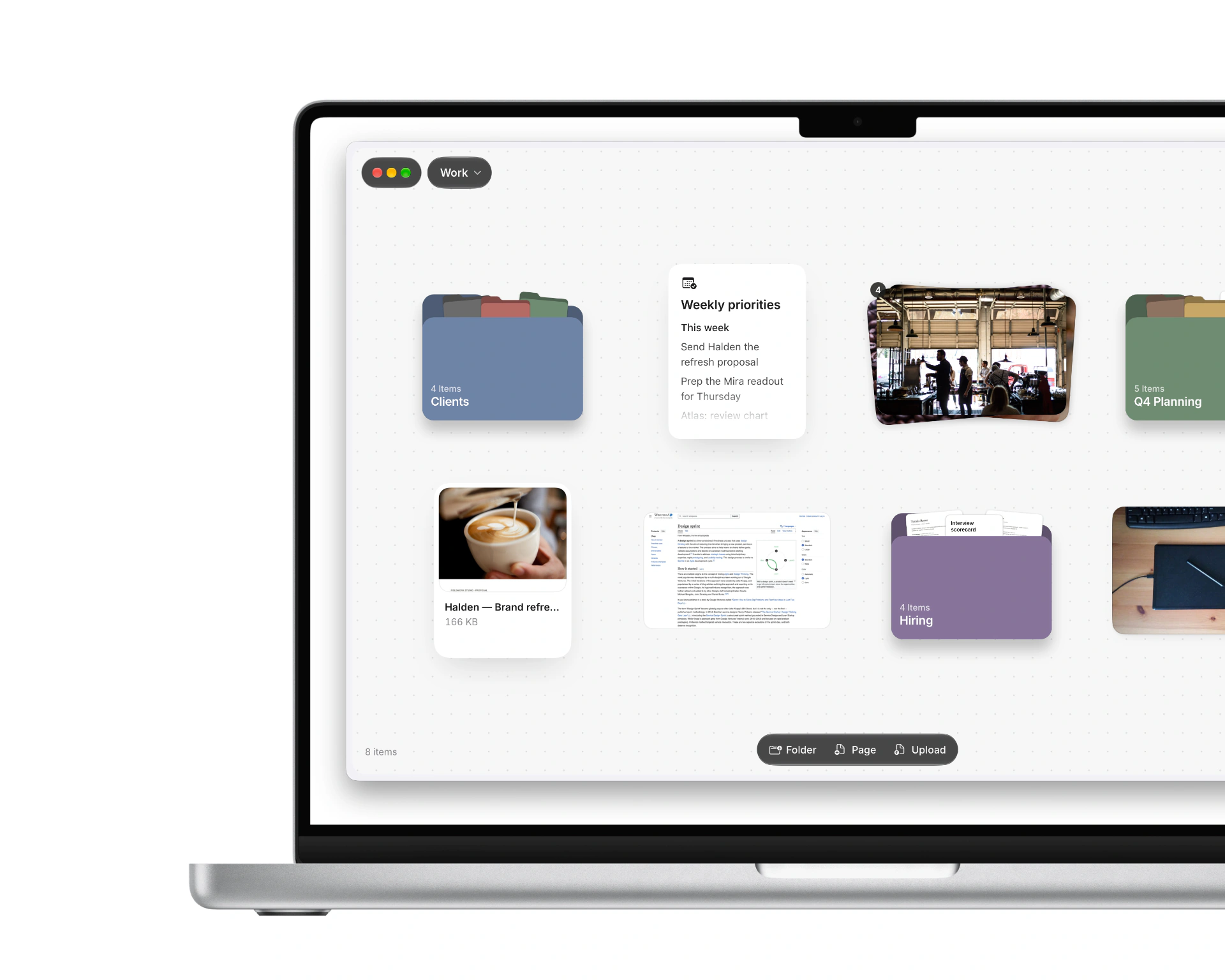
It's already on your Mac. Untitled puts your folders, files, notes and PDFs on one canvas, with an AI coworker that does the sorting.
For macOS 26 and newer
Notion is great. For the team wiki.
Your actual work is a PDF in Downloads, a deck in a client folder and forty photos in iCloud. None of it is in Notion, and copying it there is a part-time job.
No Sunday setup. No templates, no linked databases, no dashboard you build once and never open again. Point Untitled at your folders and you're done.
Nothing to upload. Your library is normal files on your own disk. Folders you link in stay exactly where they are, and Finder still sees all of it.
Offline by default. Not a per-page toggle you had to remember before the flight. Everything but the coworker works with no connection at all.
What Untitled does that Notion can't
- Opens the folders already on your Mac
- Leaves every file where it is
- Keeps Finder in the loop
- Stores your work as plain files
- Shows iCloud files where they live
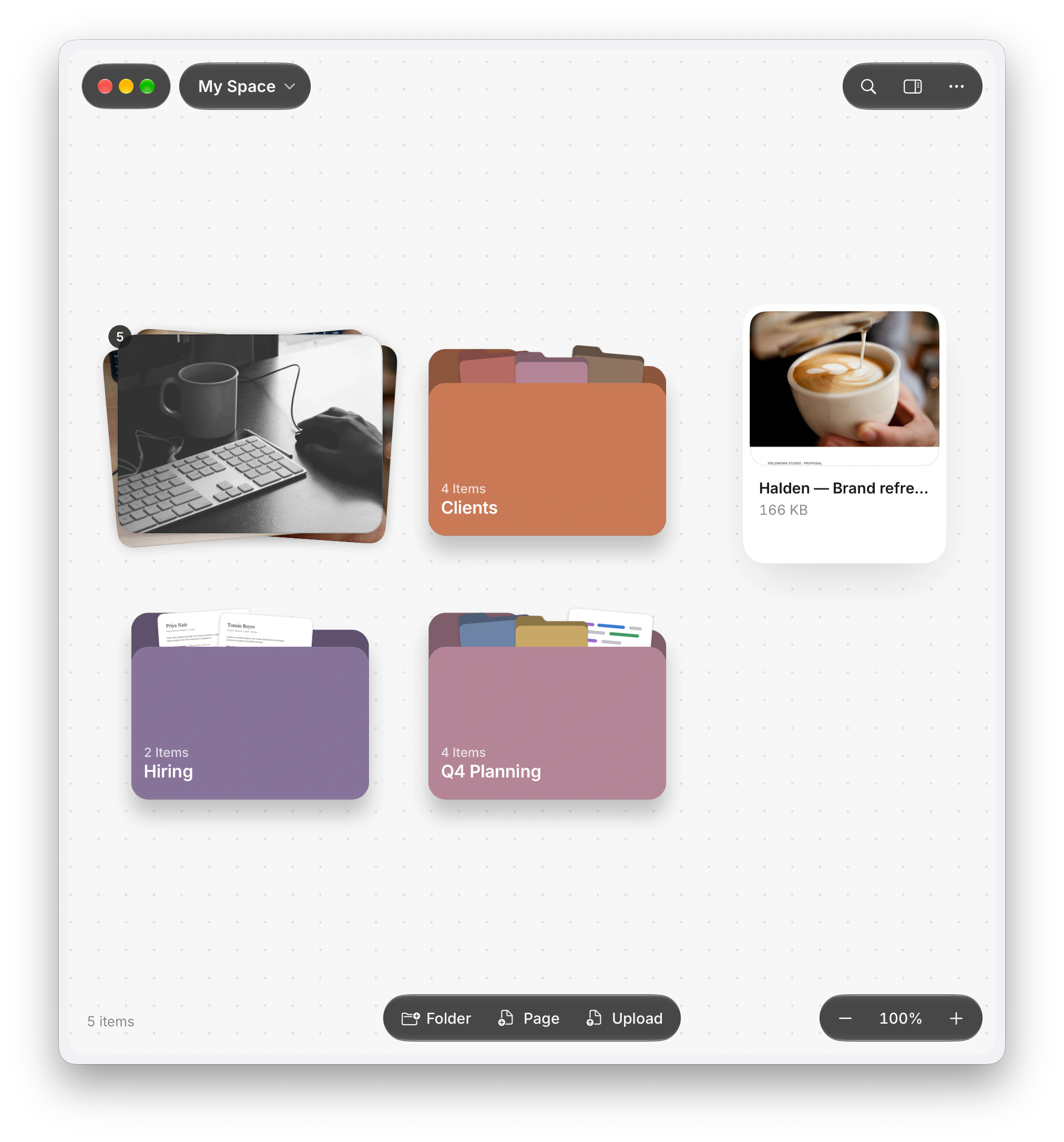
- Puts folders on a canvas
- Shows what's in a folder at a glance
- Stacks things into a pile
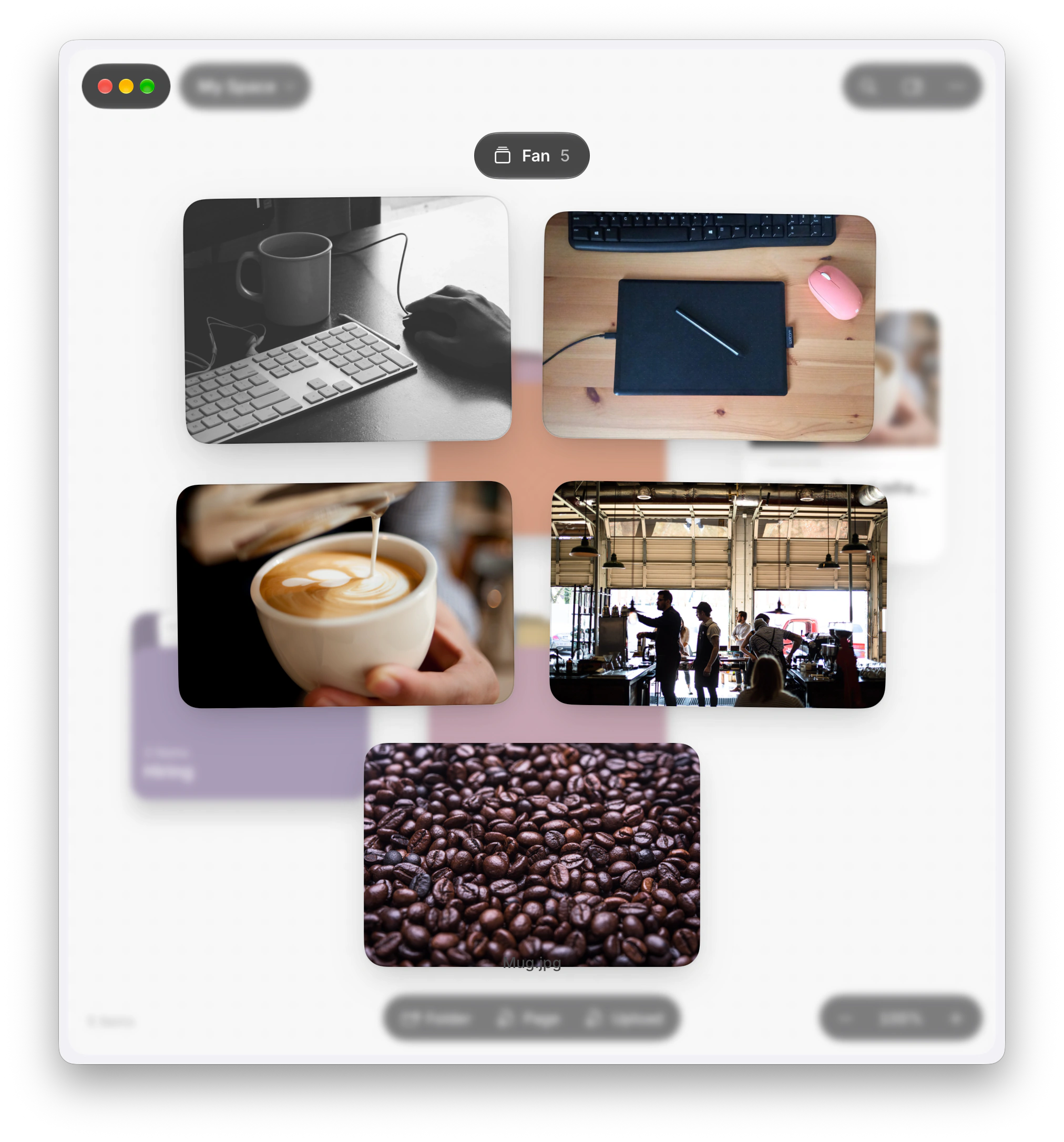
- Fans a pile open
- Moves real files with ⌘X
- Keeps ten versions of every file
- Opens Word files in place
- Shows slide decks in place
- Opens spreadsheets in place
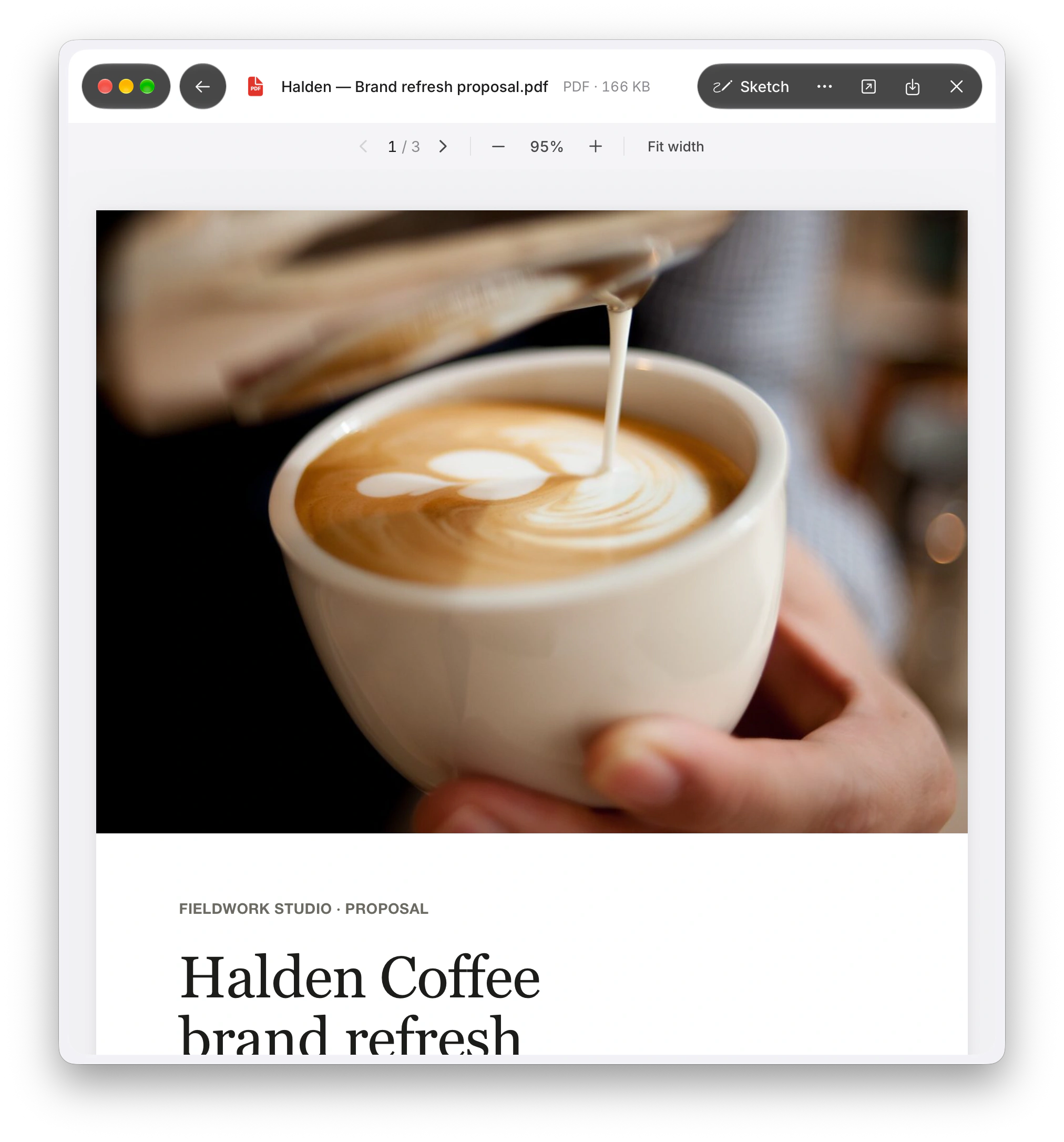
- Draws on PDFs
- Highlights photos
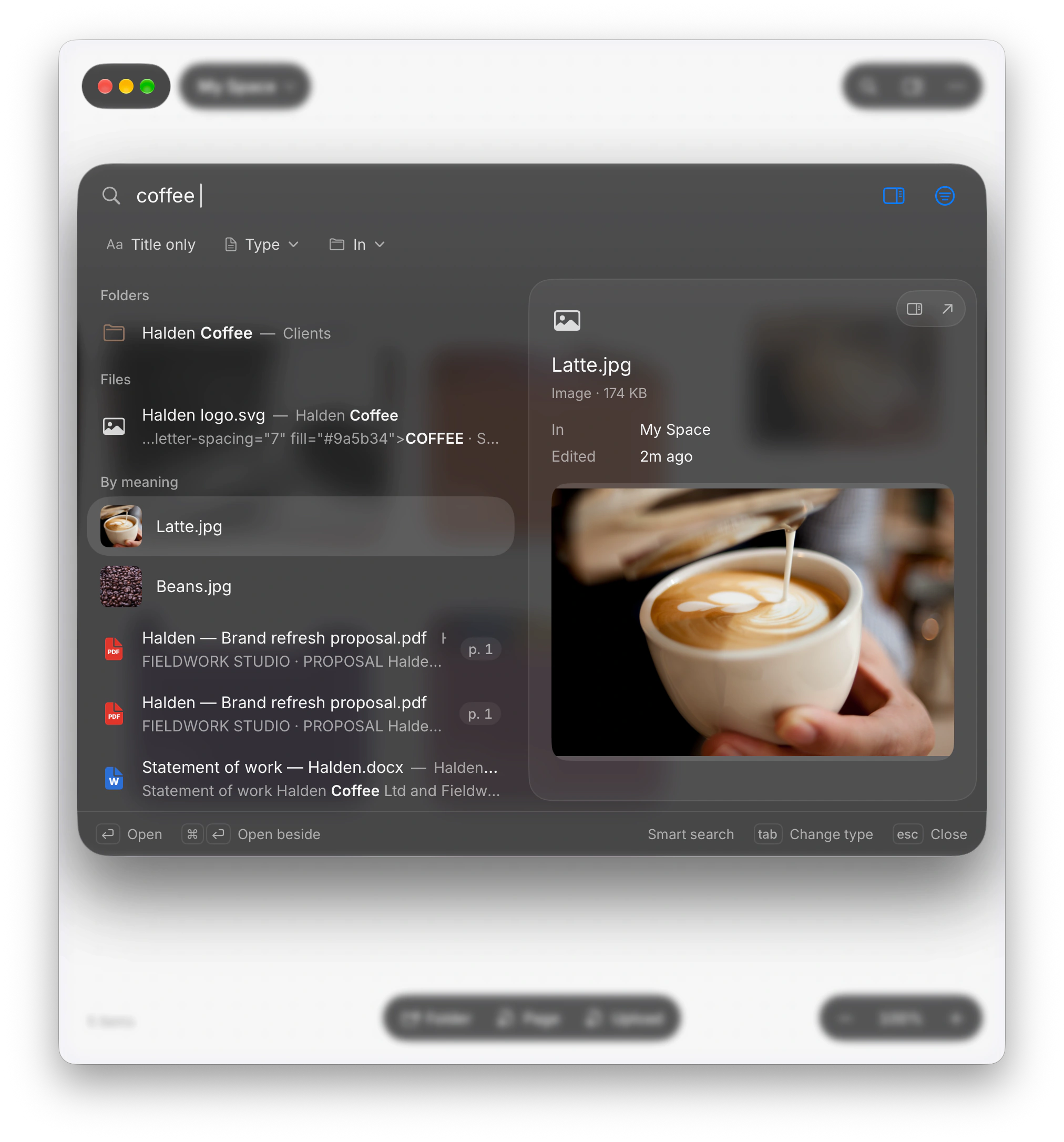
- Searches inside your photos
- Searches inside your videos
- Finds the latte photo when you type “coffee”
- Searches by meaning with the Wi‑Fi off
- Keeps an index of your whole Mac
- Works offline without picking pages first
- Looks at your images on your Mac, not a server
- Keeps your files off anyone else's server
- Opens a file with a tap of Space
- Runs as a Swift app, not a web page
- Sits next to Finder like it belongs there
- Sorts a messy folder on your disk
- Renames a pile of scans in one go
- Undoes an AI folder clean-up with one ⌘Z
- Builds a project's timeline from the files on your disk
See your work, not a list of it.
Spread it out on a canvas, fan a pile open, search for what you remember, or hand it to the coworker.
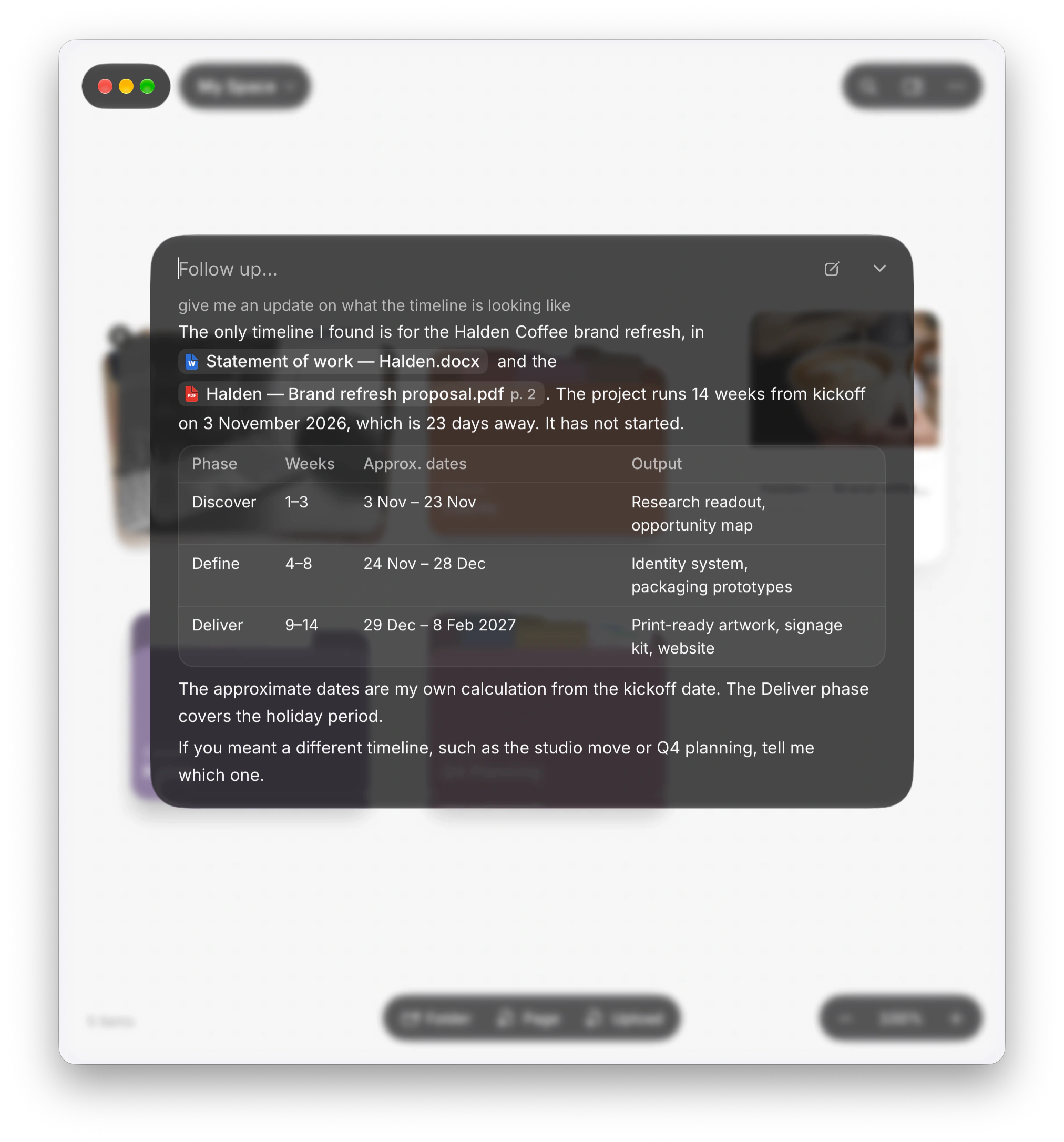
Your files stay yours.
Untitled works with the folders already on your disk. No importing, no uploading, no lock-in.
Smarter folders
Drop things in, put folders inside folders, and preview what's in them without opening anything.
On your Mac
Your library is regular files on your own disk. Nothing goes anywhere you didn't send it.
Bring your folders
Point Untitled at any folder you already have. Nothing gets moved or copied.
Pages
Write notes, plans and docs with blocks, tables, checklists and quotes.
Reads your formats
PDFs, Word files, slides, spreadsheets, video and web pages, all viewable without leaving.
Draw on it
Pen, highlighter and eraser work on pages, PDFs and images alike.
Search by meaning
Look for “why patients give up” and the research shows up. All of it runs locally.
Finds what's in photos
Images and videos are searchable by what's in them, analysed on-device.
An AI coworker
Have it sort, write or clean up. It does the job, and ⌘Z reverses it in one step.
Version history
Every file keeps its last ten versions, saved automatically.
Written for macOS
A Swift app, not a website in a window. It sits right at home next to Finder.
More Macs, and the webComing soon
Pick up your space on another Mac or in a browser.
Ten versions in twelve days.
Every change is in what's new. Here's where it's going next.
- The first Untitled for Mac
- Updates in the app, and a new welcome
- In step with Finder, and a coworker that sees your files
- Works the way your hands expect
- Smoother, quicker, and the little things right
- Six things on the way
Skills for the coworker
Teach it a job once, and it does it your way from then on.
Connectors
Gmail, Outlook, your calendar and more, for the coworker to work with.
Databases
Collections of things with properties and views, the way Notion does them.
Pages that match Notion's
Closing the gap on the blocks and shortcuts Notion's pages have.
More kinds of files
More formats that open, read and search right inside Untitled.
Live pieces in pages
Drop a calendar, and more like it, straight into a page.
Coming from somewhere else?
Here's what changes, what gets better, and where the app you're leaving still wins.
Try it: tap ⌘ twice.
Your coworker, two taps away.
Press ⌘ twice anywhere in Untitled, then ask it to find, sort, write or clean up.